Todd,
I think you’ve misunderstood the use of the -W parameter. In most GMT plotting routines it is used to control the pen (line thickness/color/style) and doesn’t modify any data. The levels part in the -W option allows you to style rivers, lakes etc using different pen parameters when in plotting mode.
So if you modify your extraction command to something like this:
gmt coast -JD16.30/52.95/38/54/60 -R7/9.85/53.33/54.75 -Di -M -EDE,DK > test.gmt
then plotting it with
gmt plot -JD16.30/52.95/38/54/10 -R7/9.85/53.33/54.75 -W1p,blue test.gmt -png test -Bafg
gives me the following result as map:
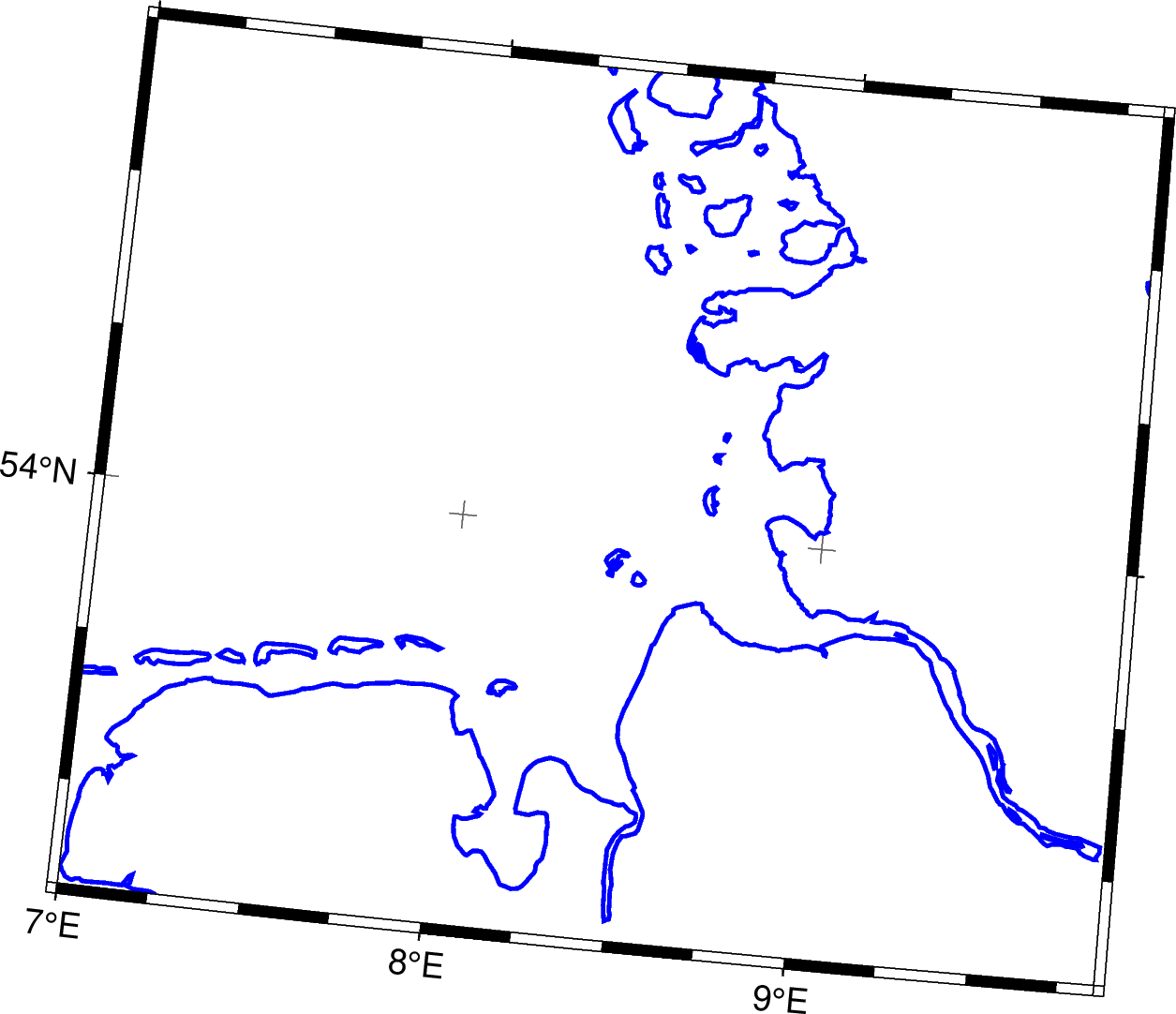
Modifying the gmt coast -M part by using a different resolution shoreline (-D) or excluding areas based on size (-A) or also extracting rivers/lakes (-I) should get you what you want. I think you might have to check whether you need multiple calls to gmt coast when you like to extract other features (-I or -N) as I am getting error messages when combining this in one call:
coast [ERROR]: Cannot combine -E -M with -I
coast [ERROR]: Cannot combine -E -M with -N
but don’t have time to check in detail right now - getting rid of -E in this case might be the solution.
Cheers,
Christian